
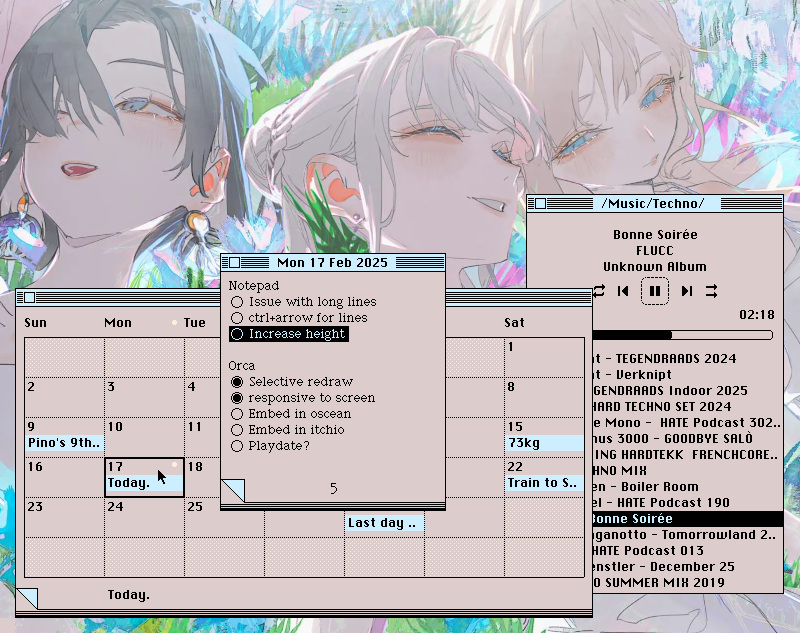
A collection of Varvara programs from an alternate past.
These are the principal utilities that I have running at all times while I work on the computer. They started off as ports of Macintosh System 7 programs, but have since been standardized and optimized to do as little redraw and disk access as possible.
They all support window shade, of course.
Unix systems
To make a rom usable across your unix system like an application, edit ~/.bashrc, and make the location of your Uxn emulator(example: ~/bin) visible by adding the lines:
export PATH=$PATH:$HOME/bin

alias calendar='uxn11 ~/roms/calendar.rom'
alias  notepad='uxn11 ~/roms/notepad.rom'
alias   noodle='uxn11 ~/roms/noodle.rom'
alias   oekaki='uxn11 ~/roms/oekaki.rom'
alias    turye='uxn11 ~/roms/turye.rom'
alias    theme='uxn11 ~/roms/theme.rom'
alias     left='uxn11 ~/roms/left.rom'
alias     nasu='uxn11 ~/roms/nasu.rom'
alias     nebu='uxn11 ~/roms/nebu.rom'
alias     dexe='uxn11 ~/roms/dexe.rom'
alias     cccc='uxn11 ~/roms/cccc.rom'
alias     m291='uxn11 ~/roms/m291.rom'

alias drifblim='uxncli ~/roms/drifblim.rom'
alias drifloon='uxncli ~/roms/drifloon.rom'
alias   uxnfor='uxncli ~/roms/uxnfor.rom'
alias   uxnlin='uxncli ~/roms/uxnlin.rom'
alias       hx='uxncli ~/roms/hx.rom'
Alternatively, make a new shell script for each one:
#!/bin/sh
cd ~/ && exec uxn11 ~/roms/left.rom "$@"
chmod +x left
After saving, run source ~/.bashrc to apply your changes, and enjoy calling the programs from anywhere, like:
left src/main.tal
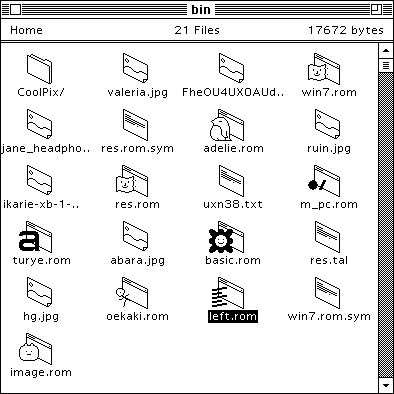
A file manager.
A front-end to a UNIX shell. Requires Uxn11.
- Source, Latest
- Repository
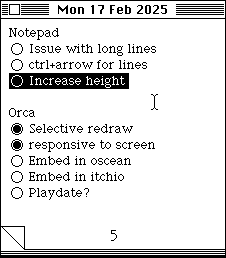
A note pad.
An original design by Donn Denman for the Macintosh.
- Source, Latest
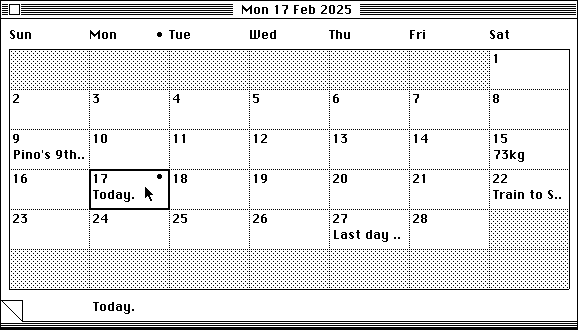
A calendar.
Press enter to add or edit an event. Events are recorded in a relative text file simply called by the current year, the content is a date in the YYYY-MM-DD format, a tab and the event name:
2026-02-04	Movie Night w/ Alex, 8pm
2026-04-22	Earth Day Meetup @ Catal, 5pm
..
- Source, Uxntal
- Repository
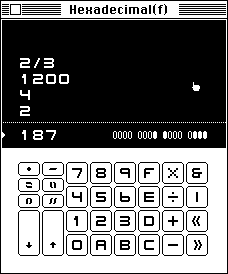
A calculator.
The CCCC calculator is a 16-bit postfix calculator that uses fractions as primitives. It includes two special operators, the reciprocal operator and the yet unnamed operator that is the mirror of a division, where instead of putting the first whole number over the second, it makes whole numbers of the numerator and denominator. The Factorization Mode displays the prime factors each number on the stack.
Basic operations
- 0-f numbers
- +-/* arithmetic
- &|<> bitwise
- tab toggle base
Stack operations
- ent push
- ! bsp pop
- % swap
- " duplicate
- ~ esc clear stack
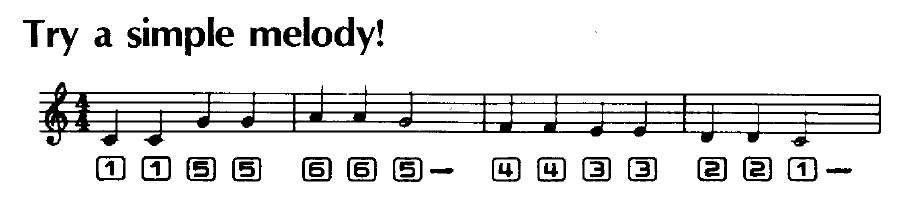
The calculator plays notes inspired from the Casio VL-80, you can use it to play little tunes.
- Source, Latest
- Repository
A music player.
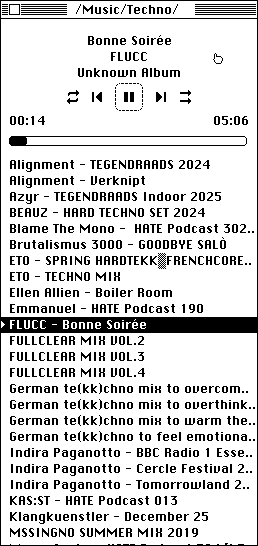
This player was originally created to test an experimental feature of Uxn11 that allows Varvara to communicate with non-uxn programs, but has since become the only music player that I use. It works as a front-end client to mpg123. The project was created in collaboration with d6.
- Source, Latest
- Repository
A catclock, uh.
This Uxntal implementation of the catclock was created in collaboration with Rekka Bellum.
Catclock is originally a X10 program by Tony Della Fera, Dave Mankins, Ed Moy, Deanna Hohn and Philip Schneider, crafted for entertainment, in the late 1980's. It was also ported to the Plan 9 operating system by Tom Duff, which is where I first came across the catclock.
- Source, Latest
- Repository
- Obscure X11 tools

incoming: azolla research faqs aesthetics 2025